Senin, 07 Februari 2011

Useful Etsy Features

I've written before about Etsy Hacks and how useful they are but today I want to talk about digging into Etsy's options that you may not know about that make running your shop much easier.

Your Etsy
By default clicking the "Your Etsy" link takes you to your currently listed items if you're a seller. If you go to the Account link and click the Preferences tab you can change this to go to your Sold Items instead.
Message to Buyer
A thank you note is always nice to send your buyer but you can do so much more with this message. I include a link to my newsletter which is simply using Feedburner to turn an RSS feed into an email. You can use your shop RSS to do this, I went a step further and used RSSMix to combine both my shop feed and my studio blog.
Download Shop Data
I use spreadsheets for all my accounting including tracking inventory. Etsy added this option fairly recently and it makes inventory much easier. I download my entire shop as a .csv at the beginning of each month which combined with the data from the beginning of the previous month and my sold items I have most of the inventory data that I need with a minimum of fuss. You can find your shop data under Shop Settings -> Options and click the Download Data tab.
Download Sold Items
At the beginning of each month when it's time to do my accounting for the previous month I download the .csv file for my sold items form the previous month. This file has a wealth of information about your sold items that you can use, price, shipping, sales tax, coupon codes used, customer names and addresses, and more.


Download Etsy Bill
Another useful accounting download on Etsy is your Bill. It has a breakdown of every fee and payment you've made for a month. You can find it under the Your Bill link then click the month you want and scroll to the bottom of the page.

Rabu, 26 Januari 2011

Handmade Interview: Anna Clifton

For this installment of the Handmade Interview we have Anna Clifton, her website is at annaclifton.com.

You can also find her on twitter and facebook.

Please introduce yourself and your business

I’m a 34 year old mum of 2, wife and designer/maker of jewellery. I have a degree in jewellery and silversmithing and design and make innovative pieces of jewellery, using precious and recycled materials.

Q #1: When did you start your handmade business and what inspired you to do so?
I properly started my business in 2006 when my daughter was 2 years old. I’d gone back to work as a teacher full time when she was only 6 months old, mainly because we “thought at the time” that I couldn’t afford not to. I love teaching but I really wanted to try and make my business ideas work and maybe becoming a mum helped me to take a risk and leave my permanent teaching job in order to concentrate on being a “proper” designer!

Q #2: Do you have to balance your business with work, children, both? How do you do it?
Yes, as already mentioned, I have 2 young children and I also teach jewellery making part time so it’s all a bit of a juggling act!

Q #3: What is your usual work day like?
I don’t think I have a “usual” work day at the moment. Maybe when my youngest starts at pre-school after Easter things will get a little easier, but for the time being, I usually get 1 day a week where I can get to my workshop and spend a few hours there. On these days, I start work at around 9am, after dropping off the kids at school/childminder and work until 4.30pm when I have to pick them up again. This time usually gets taken up with making orders and commissions so any new pieces/website updates etc etc have to be fitted in in the evenings – hence filling this in at 10.45pm!

Q #4: What is your favorite thing about running your business?
Can I have 2? 1: Being able to drop off/pick up my children from school at least on most days! 2: Being able to make money out of designing and making beautiful things!

Q #5: What is your biggest challenge?
I’ve just been accepted into the Devon Contemporary Craft Fair in Bovey Tracey in June. It’s a really prestigious event so everything will have to be right.

Q #6: How do you market your business?
Word of mouth, arts and crafts markets, magazine advertising, social networking – twitter/facebook.

Q #7: What is one mistake you've made in your business that you've learned from?
When I first started up, someone rang me out of the blue and said how wonderful they thought my work was and how by paying to be part of a free CD ROM on the front of a wedding mag would make me £1000’s! It didn’t but it taught me to think very carefully before committing to expensive advertising campaigns.

Q #8: What has been your biggest success and why do you think it's been so successful?
My Mendhi jewellery seems to have been really successful, as has my recycled ranges. I think my biggest success though is with commissions as I can design and make something the my customer’s exact requirements.

Q #9: What is the one thing you'd most like to tell someone just getting started?
Get some good photos taken and invest in a good website. I ALWAYS check the web first when looking for something so I can’t be “too” much different to lots of other people.

Q #10: What goals do you have for the future of your business?
I’d like to really develop my recycled ranges as well as setting up some regular jewellery making classes in and around Malvern, where I now live.

Q #11: Anything else you would like to tell the readers?
Thanks for reading all this and watch this space!

Jumat, 21 Januari 2011

Weekly Inspiration


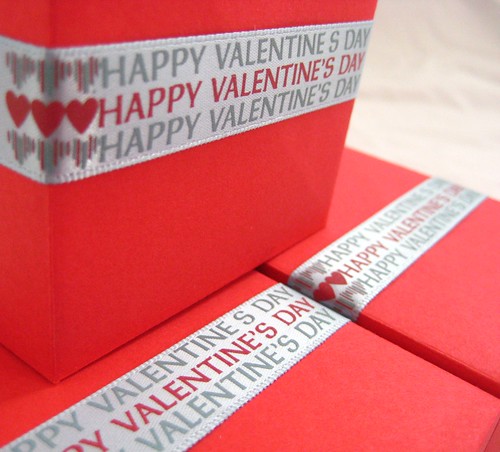
♥ Valentines ♥, originally uploaded by la Naváa.

Submit your photos for consideration as a Weekly Inspiration by adding them to the Flickr Group.

Senin, 17 Januari 2011

Blog Tracking

No, this isn't a post on google analytics or any other stats program. It's about how to increase your exposure on blogs by getting organized. You will need only 3 things for this: email, spreadsheet software (excel, open office, etc), and this article from Modish on how to approach blogs. Optional tool: Google alerts.
In your spreadsheet you will need various columns to track blogs that have featured you or that you want to feature you. Here's what I have for mine:
Contacted - Yes/No
Featured - Yes/No
Blog Name - Noadi's Art Blog
URL - http://noadi.blogspot.com
Topic - Handmade
Notes - Blah blah blah
Editor Name - Sheryl
Contact - NoadiArt@gmail.com
Date Contacted - 1/1/11
Date Featured - 1/1/11
Feature URL - http://noadi.blogspot.com/2011/01/new-year-new-ideas.html

I use Google Alerts to see new mentions of my name, business, name, or URLs so I know of blog features where the blogger hasn't emailed me that I've been featured (this happens frequently).

I first input all blog that have featured me (that I know of), then add those I want to feature me. This can be a time consuming task as there are a lot of blogs on the topics I want to feature my work. This is the main point of this spreadsheet, create a big list of blogs you want to feature you then contact one or two of them every day making sure to mark that they've been contacted and the date. If you don't hear back from them or get a feature in a few months, send a reminder (and only one, if they still don't feature you they probably aren't interested).

The blogs that have featured your work can be your list of blogs to contact again in the future when you have something new and special to share like a brand new line. They already like your work so don't be afraid to contact them again.

Jumat, 14 Januari 2011

Weekly Inspiration

Submit your photos for consideration as a Weekly Inspiration by adding them to the Flickr Group.

Rabu, 12 Januari 2011

Use an Eye Catching Signature

Email signatures are great. They get attached to all your outgoing emails and can be a simple, passive, means of advertising. There are definitely more effective ways to market, but since creating a signature takes all of 5 minutes at the most it's worth the time.

If you use an email program like Outlook or Firebird you already have easy tools to create an attractive signature but if you use web based mail you may not be able to create an html based signature. However there is a solution for web based email services if you use Firefox or Chrome. A little while ago I found Wisestamp which is an extension for Firefox or Chrome and is compatible with Gmail, Yahoo Mail, AOL, Hotmail, and several more services. It has a nice interface that makes creating a signature very easy with some nice tools like social media buttons and the ability to display items from an RSS feed.