Jumat, 18 September 2009

Weekly Inspiration

Great use of a colored background.


Button Star Bracelet, originally uploaded by Dollipops2009.

Submit your photos for consideration as a Weekly Inspiration by adding them to the Flickr Group.

Rabu, 16 September 2009

Reason To Be Prepared


Me with Rebecca, she already had a necklace.
I went on a trip over the weekend to New York. It was for a conference on science and skepticism and was really great. I packed a small box that could fit in my purse with a few pieces of jewelry in case anyone wanted to see my work. It was a very good idea, I sold 3 necklaces after the conference when a bunch of attendees were hanging out at a bar. You never know where and when you might find a customer so be prepared, if not with products than at least with business cards.

Kamis, 10 September 2009

Weekly Inspiration

A day early this week because I'm going to NYC tomorrow for a conference.

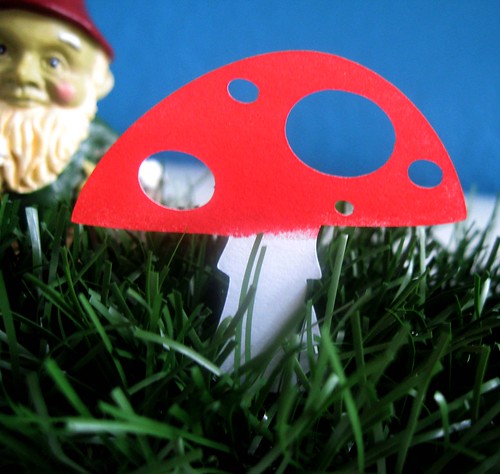
The gnome in the background just makes this.


mushroom die cut, originally uploaded by tiffzippy.

Submit your photos for consideration as a Weekly Inspiration by adding them to the Flickr Group.

Senin, 07 September 2009

Quick Tip #13 - Etsy Bill

Some of you may already know this but somehow I missed this until now. You can download a .csv files of your Etsy fees by month. It's a little hidden so this is how you find it.
  1. Go to "Your Etsy" and click the "Etsy Bill" link.
  2. From there click on "View Full List" (under the payment button next to "Monthly Statements). 
  3. That link will lead you to a list of your monthly statements. 
  4. Click the month you want to get the .csv for and down at the bottom of the page under the itemized list of fees is a link to download the .csv that you can then use for your record keeping.

Jumat, 04 September 2009

Weekly Inspiration

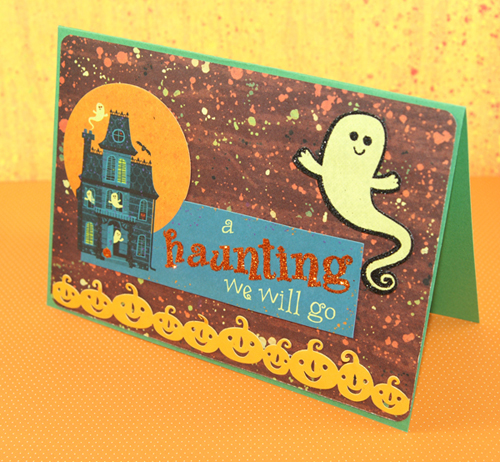
Getting into the Halloween mood.


a haunting we will go, originally uploaded by She's Batty.

Submit your photos for consideration as a Weekly Inspiration by adding them to the Flickr Group.

Rabu, 02 September 2009

Tracking How I'm Doing

Sorry for the lack of a Monday post, I was in the middle of getting a brand new blog going called the Culinary Cuttlefish which is my food blog. Don't worry it shouldn't affect this blog from now on, I plan to post to it on different days of the week (probably Tuesdays).

A couple weeks ago I posted a link roundup on using .csv files and inporting them into spreadsheets. Today I'm going to show you how I'm using spreadsheets to track how Noadi's Art is faring.

First a little about how I'm keeping track of these spreadsheets. In the screenshot you can see the folder where I have all the Etsy spreadsheets. I downloaded the .csv file for each month, renamed them with the month and year, and saved them in Open Office spreadsheet format which is the software I'm using. I also have folders for Paypal and Google Checkout files as well.

Using the data from all these spreadsheets I've compiled a simple spreadsheet that tracks my months sales for 2009 (I'll start a new one for 2010 when it rolls around). This spreadsheet lists by month the number of sales and their value for Etsy, eCrater, and Other venues (art shows, commissions, etc), and the total number and value of all sales for the month and year.


Using this spreadsheet I could make a couple charts to visualize how Noadi's Art is doing. Yes, these are my real sales figures, they aren't astronomically high by any means but I'm very happy the steady improvement I've had over the year. 
So now you see how I've organized and compiled a lot of my sales data, do you have any tips or tricks that you use?